Five Years With Plex: The Good, the Bad, and the Annoying
I've been running Plex on a home server for about five years now. It started with a PC I found in a dumpster while taking a break from work. The motherboard was dead, but I salvaged the case, power supply, fans, and other usable parts.
I rebuilt it with an ASUS TUF B550 motherboard, a Ryzen 5, an RTX 1080, and a handful of hard drives. It runs Ubuntu and serves as my Plex and Frigate server, among other things. It's been happily running around the clock for roughly five years.
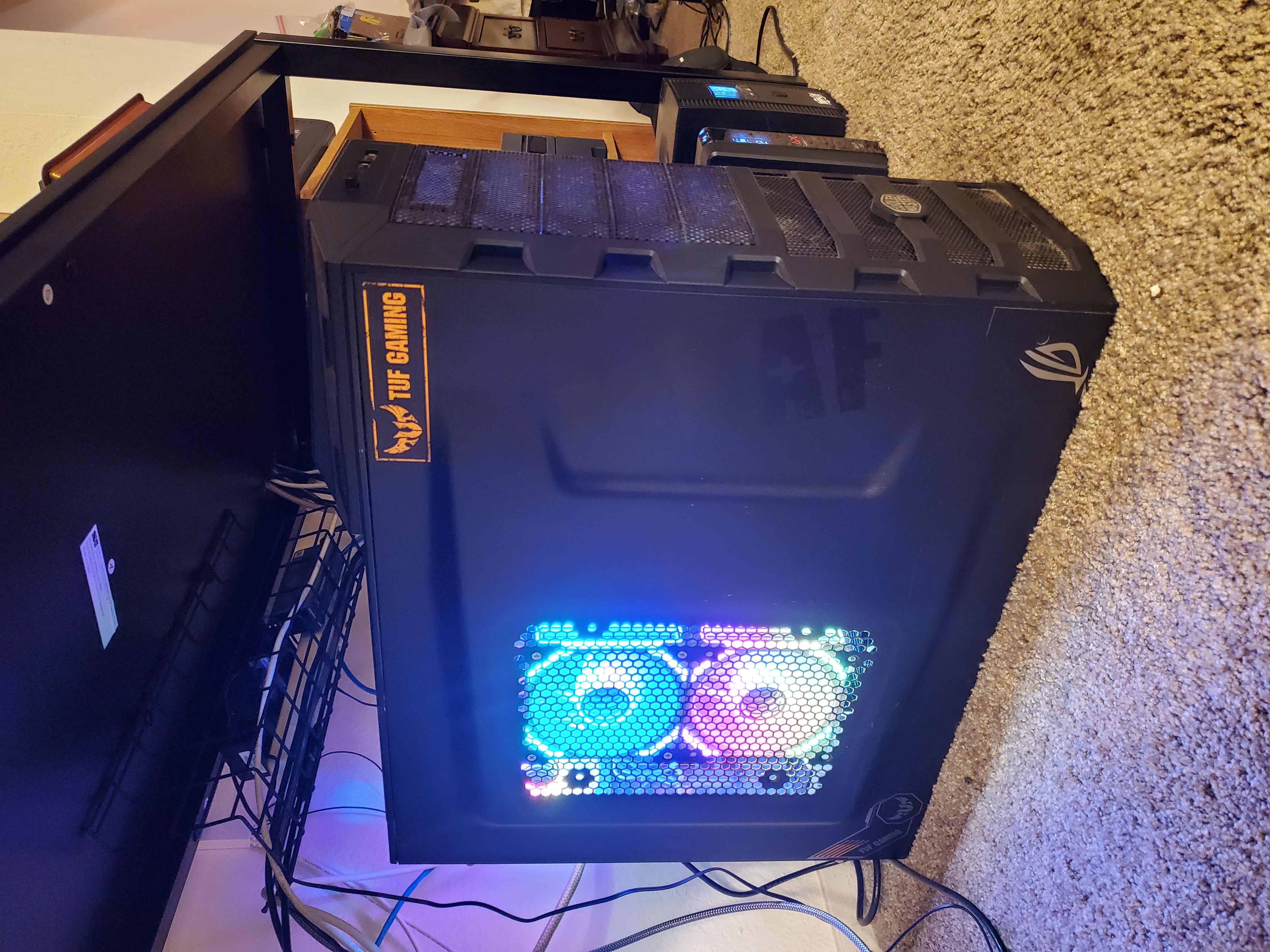
Not a bad return on a computer someone threw away.
Plex, on the other hand, has been a more complicated relationship.
The appeal of Plex
The concept is simple: host your own movies and TV shows, and Plex gives you a streaming-service-style interface to watch them. You get posters, descriptions, seasons, episode lists, and watch progress, all accessible from your TVs and other devices.
You can also share your library with friends, letting them stream your media from their own homes and vice versa.
That's probably my favorite part. I can maintain my own media library, give friends access, and let Plex handle most of the work of making it available. No copying files onto external drives or explaining how to connect to a network share.
I primarily use Plex for my own media and content shared by friends, so that's the experience I'm speaking from here.
Getting your media organized
One of the first annoyances is that Plex can be particular about how you organize your files.
It uses folder structures and filenames to identify movies and TV episodes and match them against its metadata database. A movie named The Thing (1982).mkv in a properly organized movie folder is much easier for Plex to identify than something named movie_final2.mkv.
TV shows generally need the show name, season number, and episode number in the filename. If Plex identifies something incorrectly, you might end up with the wrong poster, missing episodes, or a completely mismatched show.
This isn't unreasonable. Plex needs some way to figure out what your files actually are. But if you already have a large collection with inconsistent naming, getting everything organized can take some work.
There are also video codecs, audio formats, subtitles, HDR, and other technical details that can affect whether a file plays correctly on a particular device.
Which brings us to transcoding.
Transcoding, and why your hardware matters
Plex doesn't always need to do much work to stream a video. If your TV or streaming device supports the file's video and audio formats, Plex can use what's called Direct Play: it sends the original media to your device without converting it.
But not every device supports every format. If a TV can't play a particular video codec or audio format, Plex may need to convert the media into something compatible. This is called transcoding.
Transcoding can require a lot of processing power, especially with high-resolution video. It's one reason hardware matters when building a Plex server.
My server has an RTX 1080, partly for this reason. Plex Pass supports hardware-accelerated transcoding, which lets compatible hardware handle much of the conversion work instead of relying entirely on the CPU.
Ideally, your devices can Direct Play most of your media. It's generally more efficient and avoids unnecessary conversion. But having the option to transcode is useful, especially when streaming remotely or serving several devices at once.
Five TVs, five different experiences
I have five TVs, and they don't all behave the same way. I've got Samsung TVs, Fire TVs, and an NVIDIA Shield, each with its own hardware and software.
The Shield is my favorite Plex client. It's responsive, navigation is smooth, and playback has generally been reliable. Its video upscaling and image-enhancement features are nice bonuses, too, particularly when watching lower-resolution content on a 4K TV.
The Fire TV has also worked well for me.
The Samsung TV apps have been a different story. Performance and reliability haven't been as consistent, and that brings me to my biggest complaint about Plex.
Watch progress needs to work better
The whole point of a centralized media server is that it knows what you're watching and where you left off.
If I watch half an episode in the bedroom, I should be able to continue it in the garage without having to remember the episode number or manually find my place.
Plex is supposed to support this, but in my experience, it's unreliable. Sometimes it works perfectly. Other times, progress doesn't update properly between TVs, even when I'm using the same account.
Recently, I've had problems where a Samsung TV seems stuck on a particular episode. No matter which episode I watch, Plex keeps trying to resume that same one.
It's especially frustrating because watch progress is such a fundamental feature. I shouldn't have to troubleshoot synchronization just to watch a TV show.
Having different TVs and operating systems probably doesn't make things easier. It's difficult to know whether the issue is the server, the client app, or something else. But regardless of the cause, I'd like Plex to handle this more reliably.
The account situation is unnecessarily complicated
I've also had some frustrating experiences with Plex's user accounts.
I originally created a managed user for my wife. This seemed like the natural approach: add another household profile and switch between users on the TV.
The problem came when she wanted to use Plex on her phone. Managed users aren't independent Plex accounts; they don't have their own login credentials and can't sign in directly to the regular Plex apps.
I eventually created a separate Plex account for her. That solved the independent login problem, but introduced another one: her separate account doesn't behave like her managed profile.
On the TV, switching between household managed users is straightforward. Switching to her separate account requires signing out and back in. Her watch progress is also split between the two identities.
So now she effectively has two Plex profiles, and neither is a complete replacement for the other.
I understand the distinction between a managed profile and a separate account, but the experience feels unnecessarily complicated for a household. I just want each person to have one identity that works consistently across devices.
Sharing with friends
Despite the frustrations, sharing our libraries among the friend group is one of the best things about Plex.
They can stream my media from their own homes without me having to manage file transfers or teach them how to access my server directly.
There are some practical limitations. Remote streaming uses my home internet's upload bandwidth, and transcoding can put additional load on the server. The number of simultaneous streams I can support depends on the media, the clients, my connection, and the server's capabilities.
I'd also appreciate more granular controls for shared users. Plex already offers some restrictions, but I'd like more flexibility around things like usage schedules and per-user limits.
Still, being able to share a personal media library with friends so easily is a compelling reason to run Plex in the first place.
Plex Pass and offline access
I bought a lifetime Plex Pass several years ago. It was a one-time purchase at a reasonable price, and I wanted to support a product I was getting a lot of use out of.
Features such as hardware-accelerated transcoding and mobile downloads have been useful, although the exact feature and account requirements have changed over time.
Offline access is another feature worth understanding. We occasionally lose power and/or Comcast internet connection during heavy storms, but we have a generator, so keeping the server and local network running is possible.
Plex can stream over your local network without an active internet connection, provided the server and clients are configured appropriately. However, authentication and some app features can still depend on internet access. It's worth configuring Plex's local-network access settings ahead of time rather than discovering the limitations during an outage.
It's not quite the same as having a completely independent offline streaming service, but it's useful when the internet goes down.
Five years later
For all my complaints, I'm still happy I built this server.
A discarded PC has spent roughly five years running around the clock, serving my media collection, supporting my home security setup, and giving friends access to my library.
Plex has made my media collection much more convenient to use. I don't have to think about where files are stored or how to get them onto a particular TV. Most of the time, I just open the app and watch something.
The frustrating parts are mostly around the edges: inconsistent clients, unreliable watch progress, and an account system that can be confusing.
Those issues are annoying precisely because the underlying idea is so good. I want the experience to be seamless, and Plex gets close enough that its shortcomings stand out.
Five years in, I'm still using it, still paying attention to how it evolves, and still glad that someone decided to throw that PC away.